
Tools
How to automate an embroidery order workflow
An embroidery order moves from the request to a ship update, and it falls apart when the next step lives only in your head. Write down intake, approval, digitizing, production, and the handoff. The steps can stay simple. They have to survive a day off.
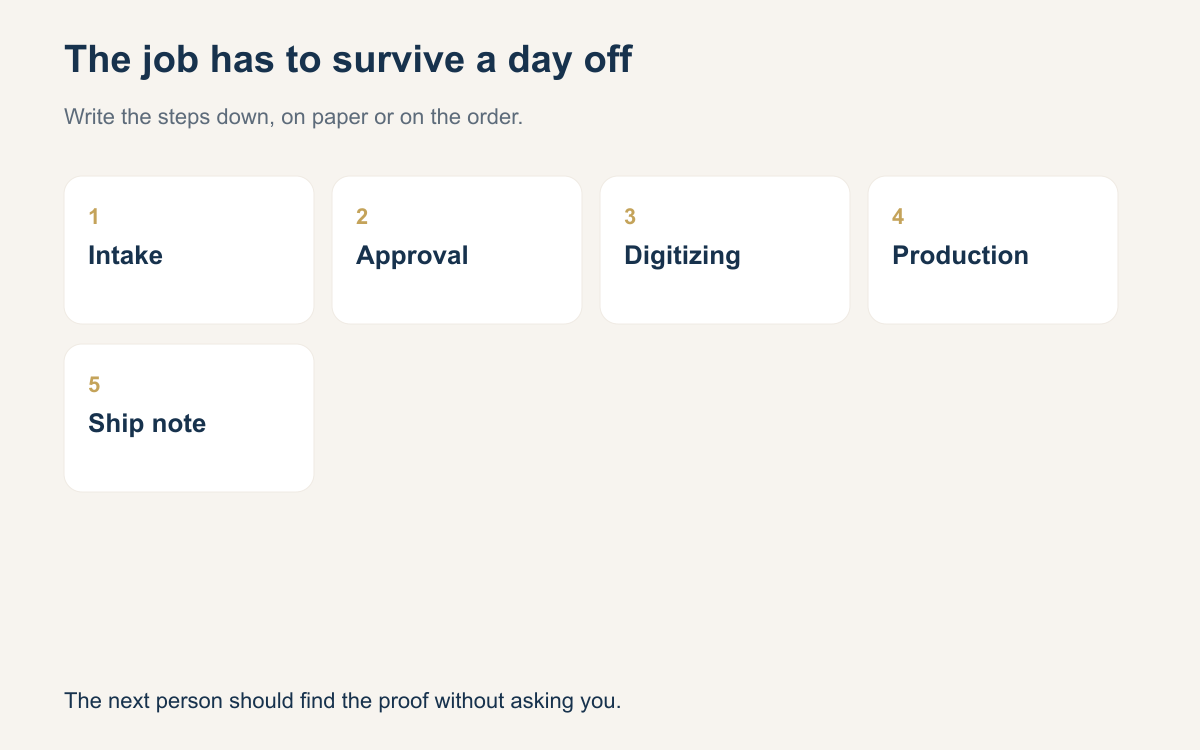
You already have a workflow. It might be a notebook, a row of sticky notes on the hoop, and a memory of who said yes. That works on a Tuesday when you are the only person in the building. It fails on the Wednesday you are out, when a helper finds a bag of polos, a logo on a phone, and no idea which version was approved. The job did not get harder. The record was never written down.
Automating the workflow does not mean a robot hoops the cap. It means each stage has a place, a name, and a next action that another person can read. Intake captures the request. Approval freezes the art. Digitizing produces a file you can find. Production records what was sewn. A ship update tells the buyer the goods moved. If those five are written down, a day off does not stall the shop.
Intake that a stranger could follow
Intake is the form you wish every customer would fill out, so write it yourself if they will not. Who is paying. Who is wearing it. The blank style and color. The size run. The placement. The art file, not a photo of a photo. The date they need it. The price you quoted. A note about anything odd, such as a name under the logo or a second location. If a field is empty, the job is not ready, even if the customer is eager.
Put that information where the sew will happen, not only in the inbox where it arrived. A helper should be able to pick up the order and answer three questions without calling you: what are we sewing, on what, and by when. If the answer is "check my texts", you do not have intake. You have a scavenger hunt. The automation here is modest. A required list beats a clever tool that still lets blank orders through.
Approval before anyone hoops
Approval is a yes to a specific picture and a specific size. "Looks good" on a blurry photo is not enough when the buyer later says the letters were taller. Save the preview you sent, the width and height in inches, the thread colors, and the words the buyer used to accept it. If you changed the art, say what you removed. Freeze that version. New art after approval is a new version, with a new yes, not a quiet swap.
Do not start a stack because you are pretty sure they will love it. Pretty sure is how you sew twenty caps in the wrong white. The pause feels slow the first week. It is faster than ripping stitches. On the order, the status should say approved, not "I think we are good" in a margin. When you are out, the next person needs a status, not a hunch.
Digitizing and a file you can find

Digitizing is a separate stage, even when you also run the machine. The output is a stitch file a person has edited for the fabric: underlay, density, sequence, and a size that matches the approval. Name the file so it cannot be confused with last month. Order number, blank, color, placement, and a version if the art changed. "logo-final-final" is how the wrong mark gets sewn on the right shirts.
Store the file with the order, next to the approved preview. If the digitizer is you on Sundays, write the status as "file ready" or "waiting on art" so Monday you does not guess. If you send work to another digitizer, record who has it and when you expect it back. A workflow that skips this line always jams in the same place: the machine is free, and nobody knows which file is the real one.
Production, then a ship update
Production is hooping, sewing, trimming, and looking at the sew-out under real light. Write the blank count you finished, not the count you hoped to finish. Note a reject and why: a pucker, a color, a placement that drifted onto a seam. The note is how you avoid sewing the same mistake on the rest of the run. It is also how someone else finishes the order if you leave at lunch.
Then close the loop with a ship update. Tracking, a pickup window, or a delivery name. One message to the buyer, and the same fact written on the order. "I told them in a story reply" is not a ship update. The buyer should not have to ask where the box is, and you should not have to remember which porch. When the status says shipped or ready, the workflow is done. Until then it is still yours.
What to write down so a day off works
Walk one live order as if you will not be in tomorrow. Could another person find the blank, the art version, the yes, the stitch file, the due date, and the next action? If any of those are missing, that is the hole to close first. You do not need a new department. You need the next action written in a verb: call for sizes, sew fronts, trim backs, send tracking.
Keep the language boring and stable. Received, waiting on art, proof sent, approved, file ready, in production, packed, shipped, ready for pickup. Fancy names do not help a substitute. Dates do. The day you promised, the day you heard back, the day it left. A workflow is automated enough when a day off does not create a pile of mystery bags. The machine was never the part that forgot.
- Write who is paying, the blank, the color, and the size run.
- Attach the art version the buyer actually approved.
- Record placement and sew size in inches.
- Name the stitch file with the order, the blank, and the placement.
- Set a status the next person can read without calling you.
- Note rejects and the reason before the rest of the run.
- Send one ship or pickup update and copy it onto the order.
From request to shipping, the work is intake, approval, digitizing, production, and a ship update. Write those down in the same order every time. You can keep using a notebook. The win is that the job survives without you in the room, because the next person can see what is true and what happens next.
That workflow can live in a notebook. It can also live on one order, where the proof, the machine file, and the ship date stay with the garment. Stitchify Hub keeps that production record for the shop. The steps are the same on paper. The next person can find them.
A question for the group
Which step in your order path is still only in your head, and what would you write down so a day off does not stall the job?