
For embroidery shop operators
See how a custom order moves from storefront to production.
This page breaks down the operator workflow: customer design intake, digitizing requests, job packets, production handoff, shipping, and shop management.
- Start with storefront setup, product rules, and customer design entry points.
- Capture artwork, placement, thread, and pricing context before checkout.
- Move paid placements into digitizing and production without rebuilding the order by hand.
Storefront
Products, designer, checkout
Order intake
Mockups, notes, pricing context
Digitizing
Requests, files, approvals
Operations
Production, shipping, reporting
Live embroidery designer
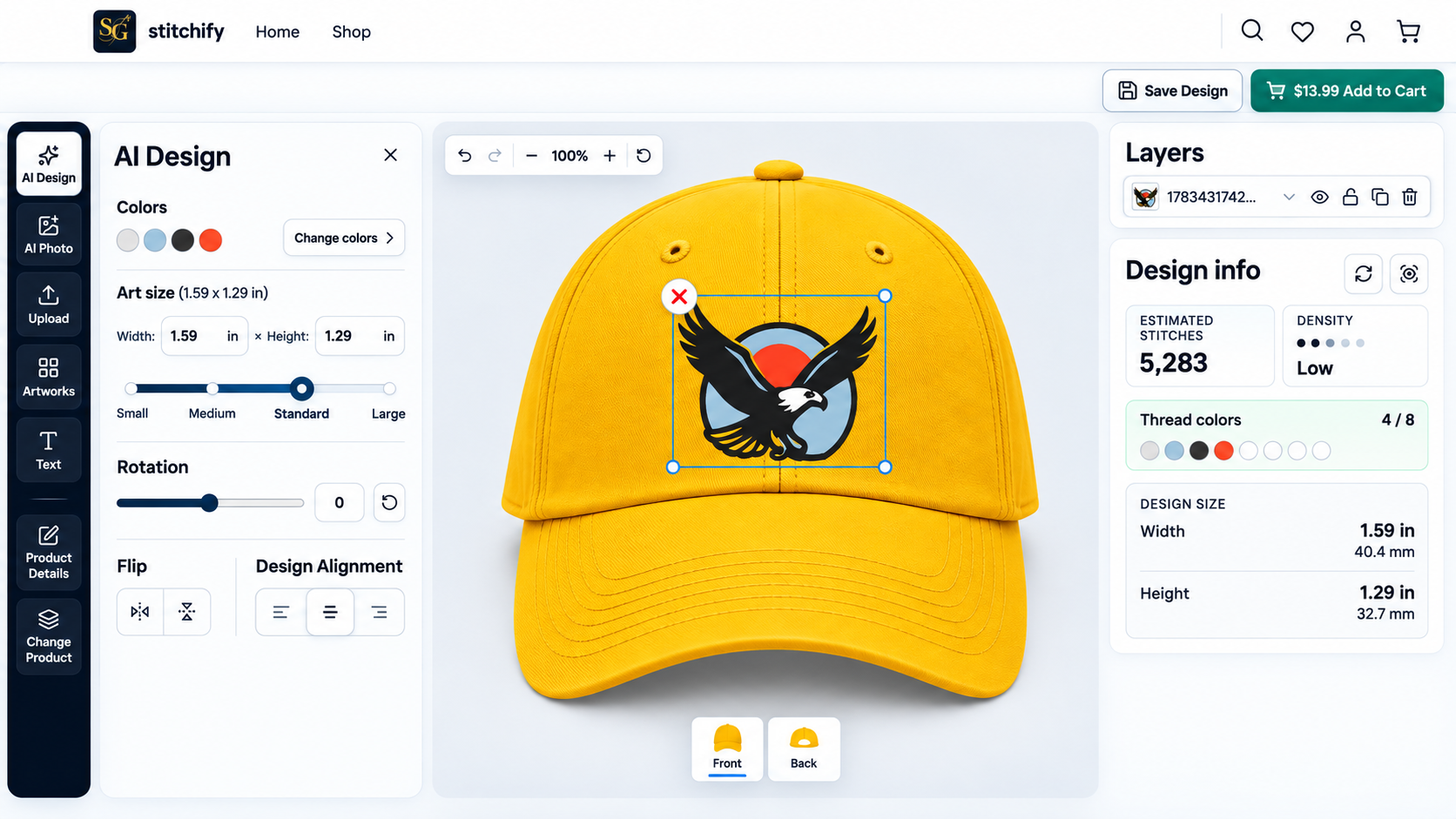
Capture cleaner custom-order details before checkout.
Customers can upload artwork, start from templates, add text, choose placement, and preview the design on the product before your team receives the order.
Customer uploads
Logos and artwork stay attached to the exact product and placement.
Templates and text
Guide shoppers with reusable layouts instead of open-ended email requests.
Live product preview
Customers see scale and placement on the blank before they pay.
Order guardrails
Placement and setup context arrives with the order for easier review.
Digitizing handoff
Turn paid placements into actionable digitizing requests.
Instead of starting from an email thread, digitizers receive the artwork, mockup, dimensions, thread context, and requested output formats tied to the paid order.
Checkout captures the placement
Each paid custom placement keeps the product, artwork, position, and sizing context together.
Design package is ready
Artwork, mockups, thread colors, dimensions, and requested formats arrive together for the digitizer.
Queue, assign, and complete
In-house staff or contracted digitizers can work from a shared request queue.
Approve and hand off
Approved DST, PES, JEF, EXP, or other files stay attached to the original shop order.
Production handoff
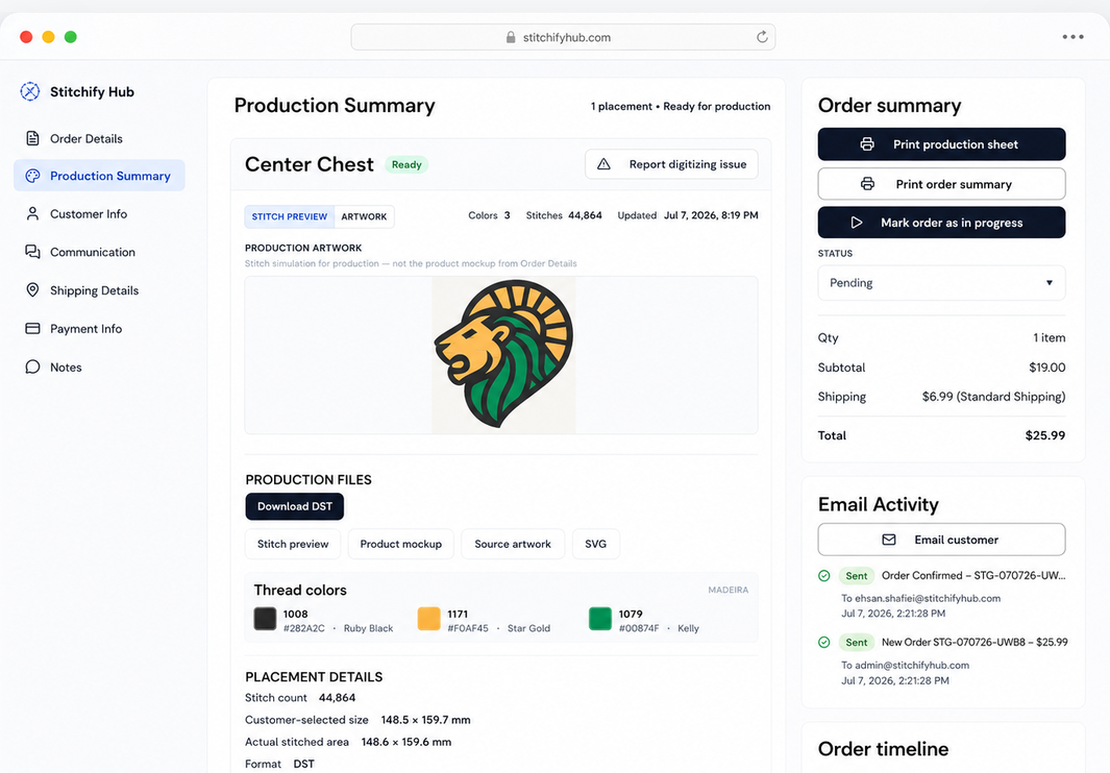
Operators get a usable job packet, not scattered order notes.
Approved files stay connected to the mockup, placement notes, thread context, and production sheet so the floor team can run the job with fewer missing details.
- Mockups and placement references attached to the order
- Thread context tied to each customization
- Production sheets available from the order view
Run the business
Manage the shop after checkout without changing tools.
Your team can review orders, update fulfillment, manage inventory, configure shipping, and adjust shop settings from the same admin workspace.
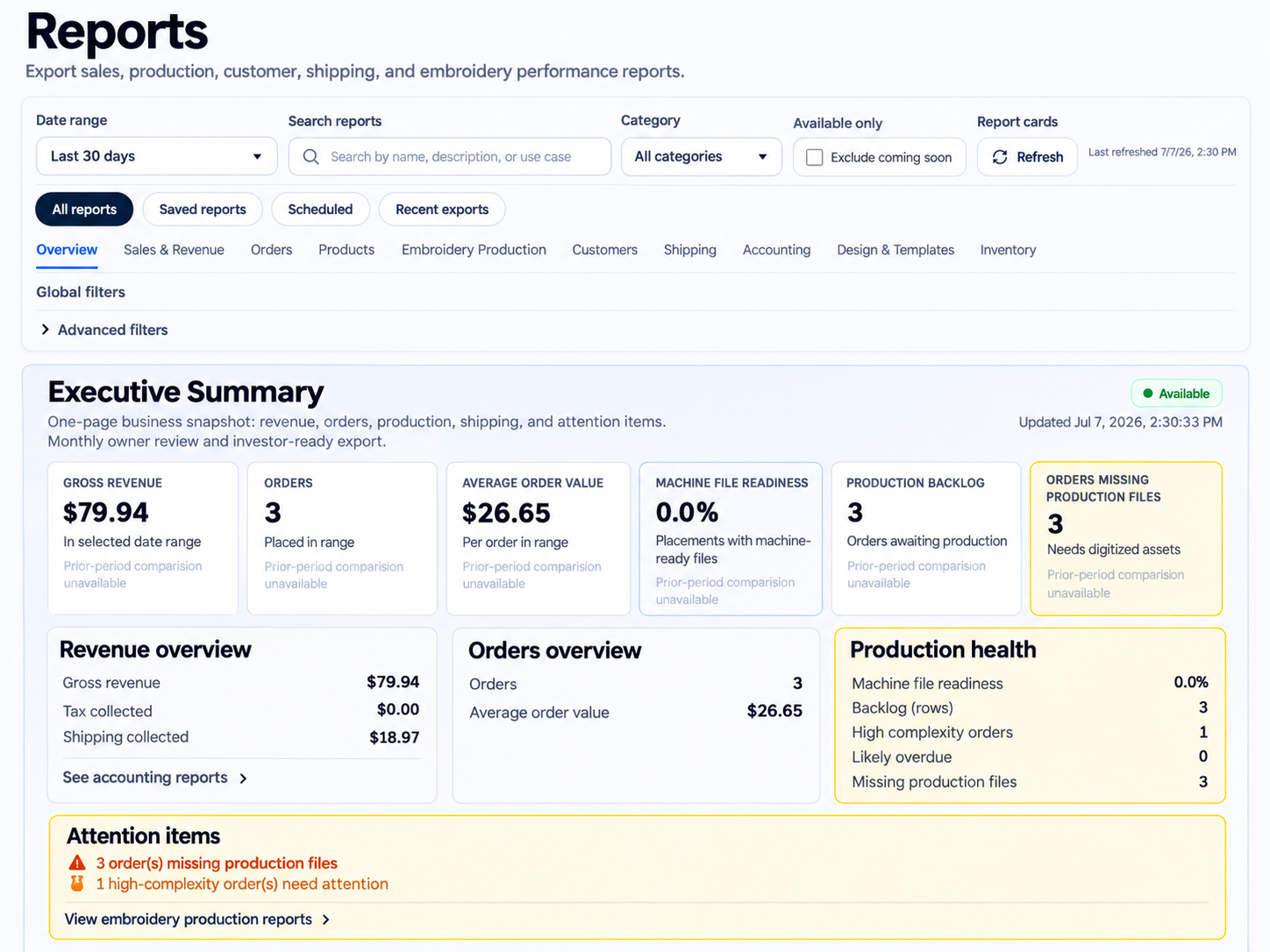
Operations dashboard
See order volume, revenue, and what needs attention today.
Orders & inventory
Process orders, track stock, and maintain products from the shop admin.
Live carrier shipping
Offer connected carrier rates at checkout when your plan and shop setup support them.
Shop configuration
Control pricing rules, thread limits, shipping policy, and branding in one place.
Integrations
Everything works together out of the box
Best-in-class services are already stitched into the workflow, so you launch with fewer vendors to manage and fewer integration projects to babysit.
Carrier rating, labels, and tracking
Card payments, billing, tax codes, refunds, and webhook events
Optional wallet checkout alongside card payments
Transactional email delivery
Contact & quote request capture
Storage & core infrastructure
Customer and operator authentication
Application database and workspace records
Smarter shipping estimates at checkout
Bot protection for uploads, forms, reviews, and gated actions
AI-assisted artwork, personalization, and operator workflows
Start today
Ready to test the full shop workflow?
Start free, add products, try the designer, and walk a custom order through the handoff before choosing the plan that fits your volume.